
Taxly / Features
From a list of transactions to a useful set of records.
Start with a financial overview, review what needs attention, and keep business activity organized by year. Here’s the workflow Taxly is being developed around.
Product walkthrough · Screens illustrate the supplied preview, not a verified public release.
01 / Financial overview
See the bigger picture.
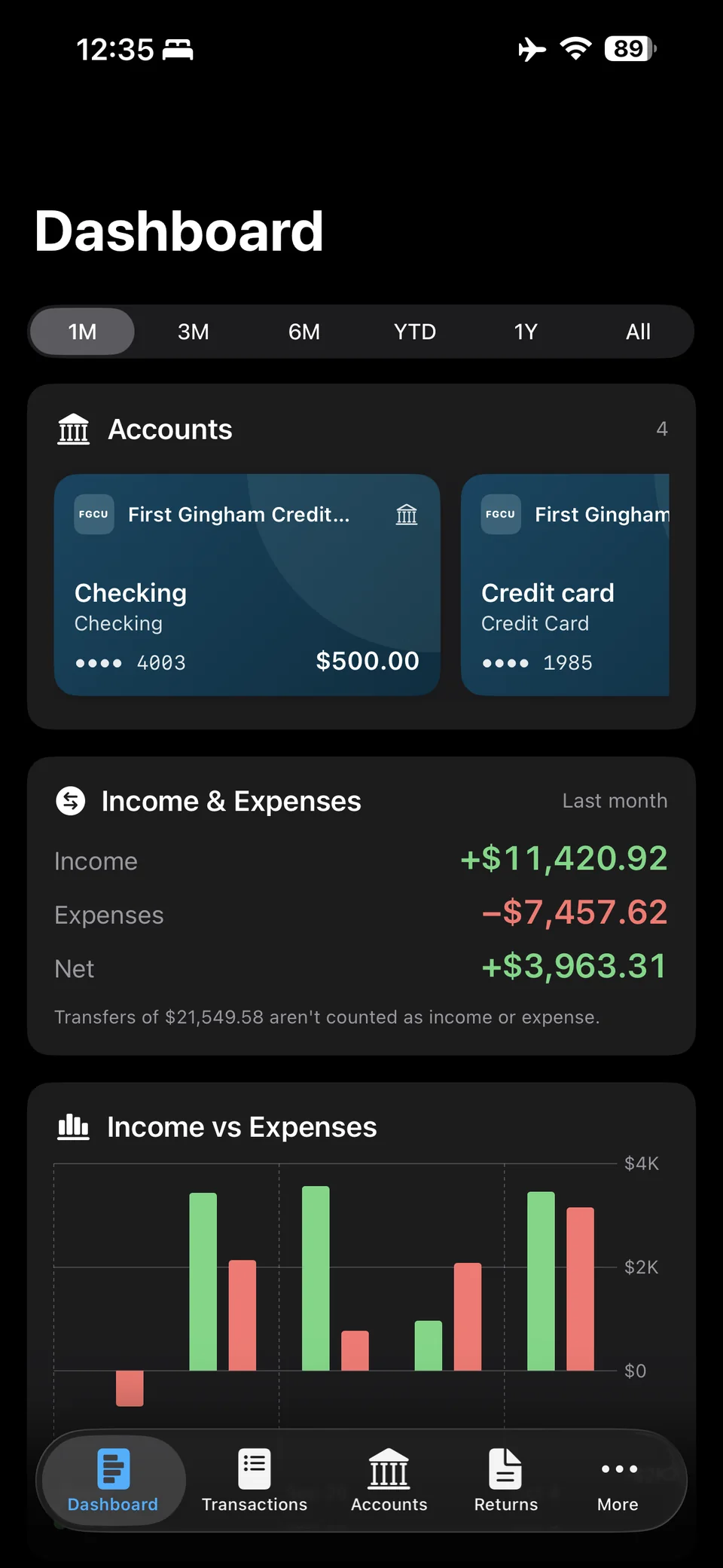
Bring financial activity together into a clearer view of your money. The development dashboard puts account activity, income, and expenses near the records that need review.
What to keep in mind
A dashboard is a starting point for review, not a guarantee that every transaction is current. Check the period you are viewing and the underlying records before drawing a conclusion.
02 / Transaction organization
Less sorting. More understanding.
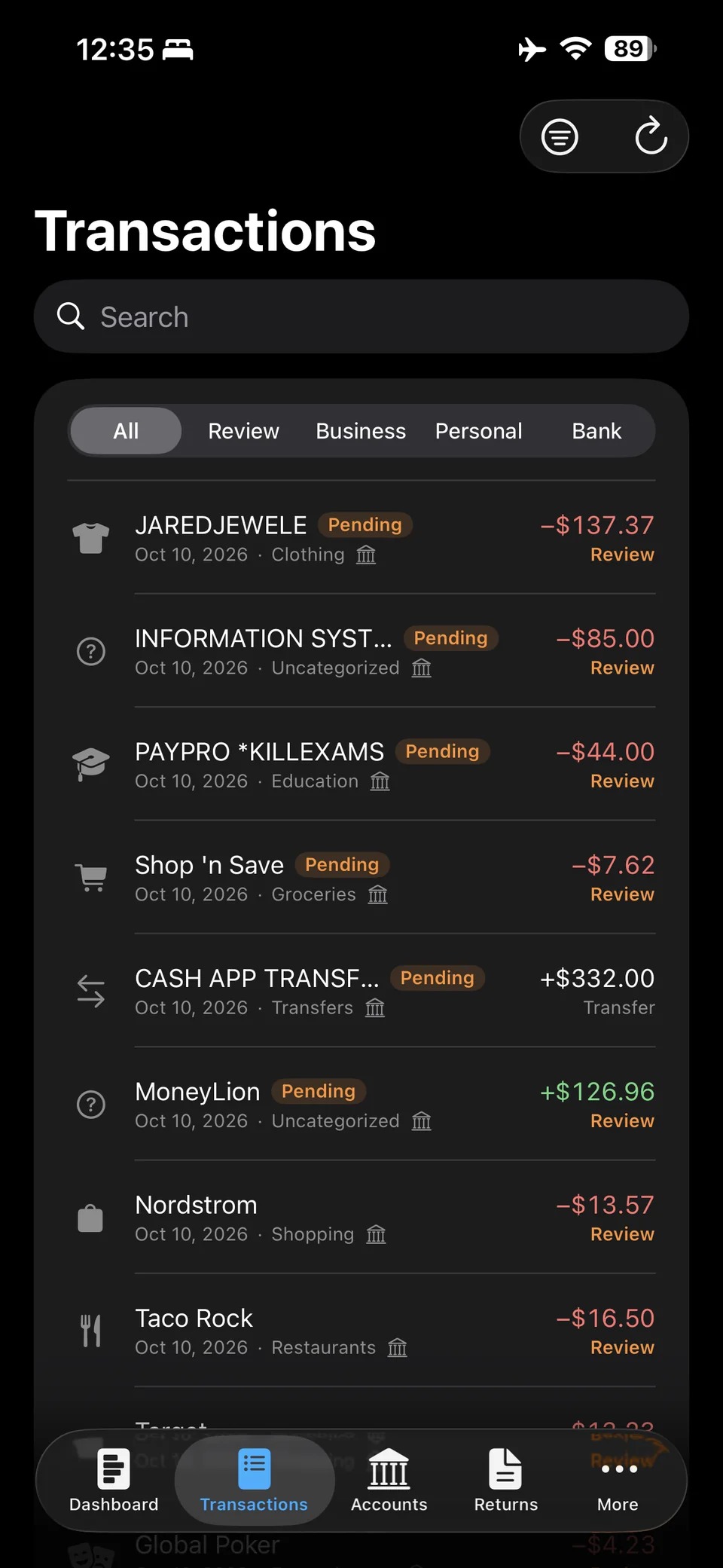
Review and organize transactions so your records make more sense. The supplied interface shows transaction lists and business, personal, and review filters.
What to keep in mind
A purchase can need more context than its merchant name provides. Review its purpose and category while you still remember it; categorization does not establish tax deductibility.
03 / Transfers vs. spending
A transfer isn’t an expense.
Keep transfers between your accounts and credit-card payments from distorting your picture of actual spending. Distinguishing movement of money from a purchase is a core part of the intended workflow.
What to keep in mind
Paying a card moves money between accounts; the original purchases are separate activity. Transfer handling is under development and should be reviewed before relying on totals.
04 / Business expenses
Keep business spending in focus.
Organize expenses that matter for your business records and tax preparation. Taxly aims to make business activity easier to review without losing sight of the underlying transaction.
What to keep in mind
For a purchase with both business and personal use, keep supporting records and discuss the treatment with a qualified professional. Taxly does not promise a deduction.
05 / Tax-year organization
A better starting point for tax season.
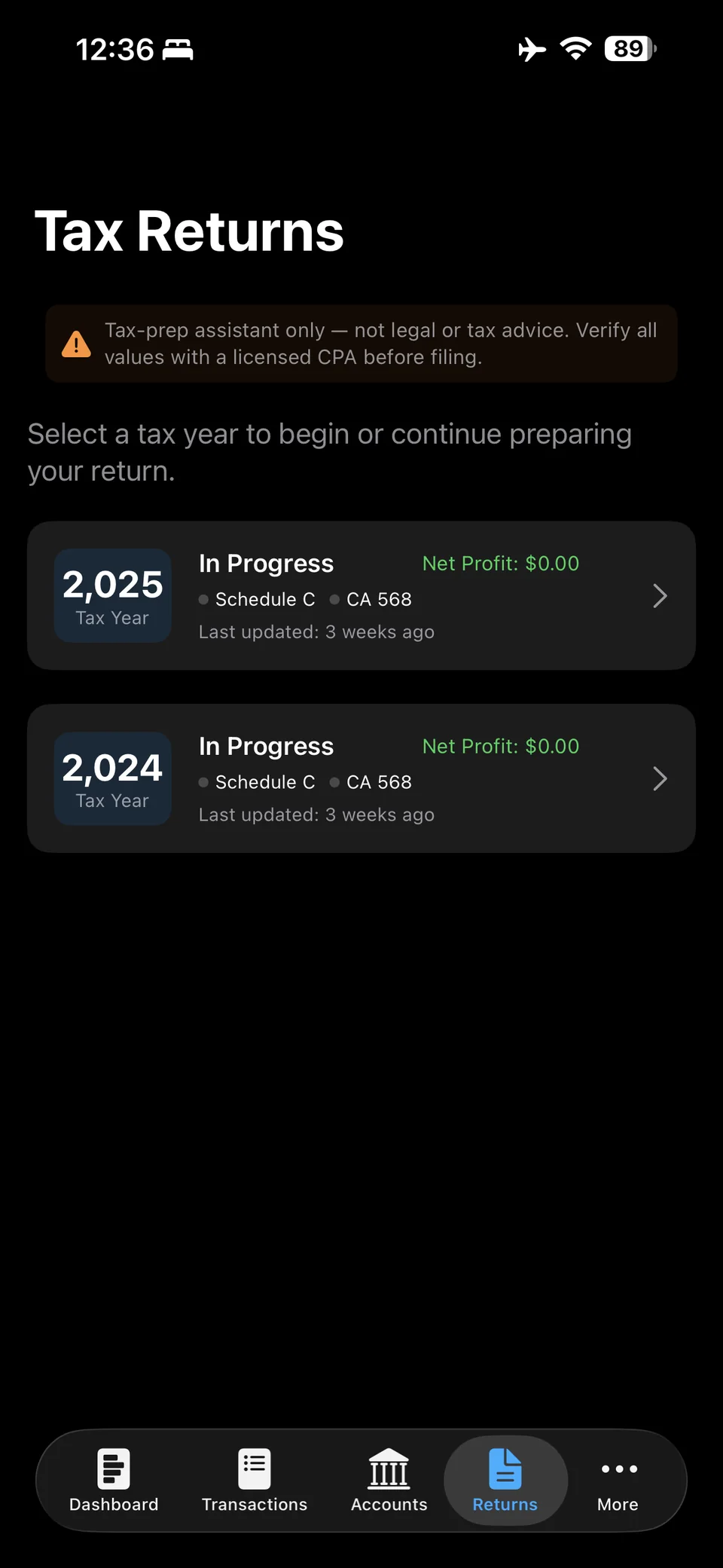
Keep financial records organized by tax year and spend less time reconstructing the past. The supplied preview shows in-progress tax-year records, rather than an official filing service.
What to keep in mind
Review the year and the completeness of your records before using a calculation. Tax-year calculations, reports, and exports require release verification. Taxly does not submit an official return on your behalf as described here.
06 / Financial connections
Connect your financial activity.
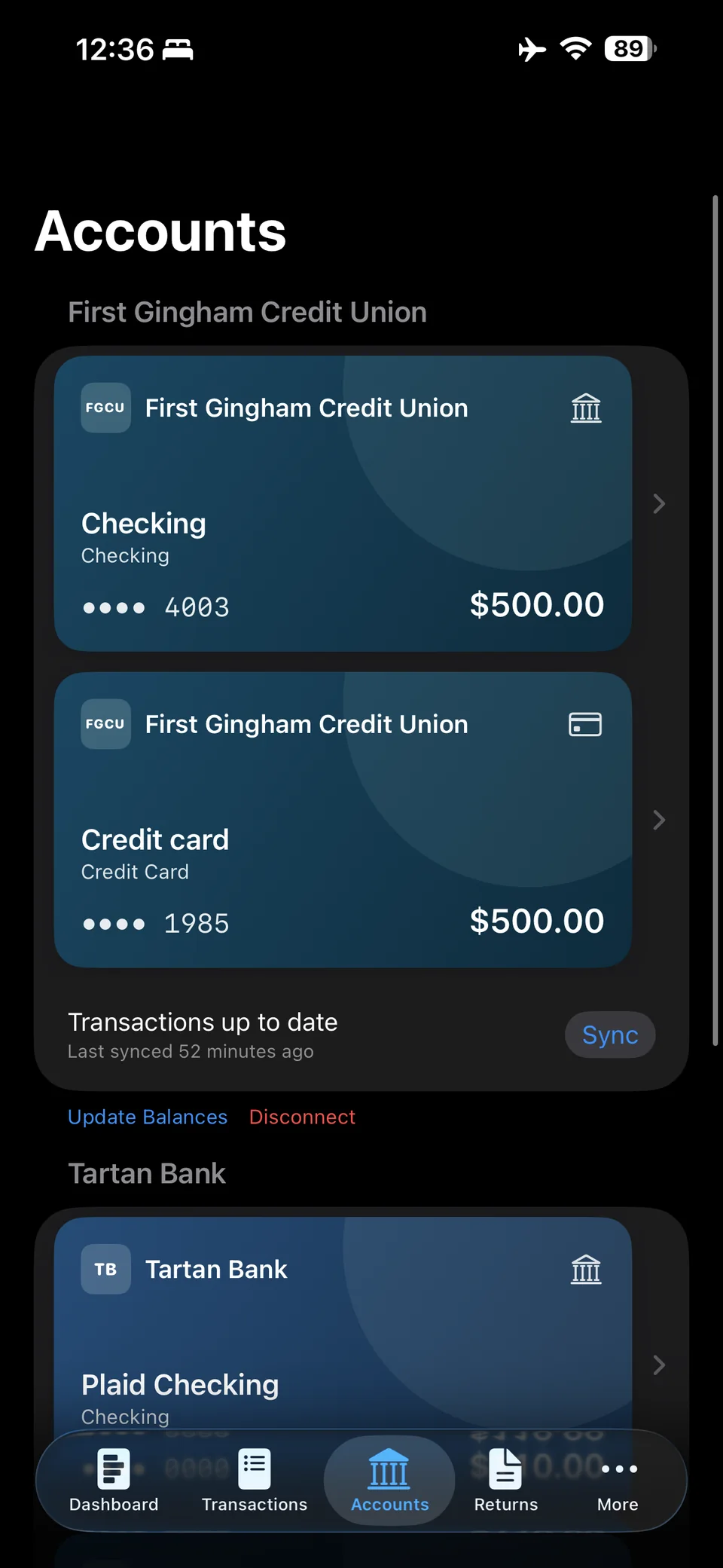
Taxly is being developed with Plaid financial connectivity and a supporting NMR1 API for account connections and transaction synchronization. Taxly is not a bank and does not initiate or execute money transfers.
What to keep in mind
Sign-in options and financial connections depend on platform, version, and availability. The Privacy Policy explains authorization, ongoing synchronization, and requests to stop access.
07 / Privacy & control
Your financial information deserves care.
Taxly’s design includes local processing where appropriate and server-side processing, including transaction caching. It would be inaccurate to describe all financial information as staying exclusively on your device.
What to keep in mind
The Privacy Policy explains providers, retention, disconnection, deletion, and your choices. Cross-app financial use with Molot requires the same verified NMR1 account and your explicit permission.
Development status
Visible in the supplied preview: dashboards, transaction lists, account views, and tax-year records. Features and sign-in methods depend on platform, version, and availability. The Privacy Policy explains financial authorization and how to request withdrawal, disconnection, or deletion.
Taxly is a financial organization tool and does not replace professional tax, legal, or accounting advice.
Privacy Policy →A closer look at Taxly
Make room for a clearer financial routine.
Explore the workflow and see what is being developed.